QuickBooks Sync for Contractors That Works
If your office team is entering the same invoice twice, fixing job-costing mistakes after payroll, or chasing down why a payment never made it into the books, your sync is not doing its job. QuickBooks sync for contractors should remove manual work from the back office, not create another layer of cleanup.
For service businesses, accounting data is only useful if it reflects what actually happened in the field. That means estimates turning into invoices without rekeying, technician time flowing into labor costs, and payments posting fast enough that your cash position is real, not a day or two behind. When the sync is weak, dispatch runs in one system, invoicing happens in another, and your margins get buried in admin noise.
What contractors actually need from QuickBooks sync for contractors
A contractor does not need a flashy integration badge. You need clean data moving between operations and accounting in a way that protects revenue, saves office hours, and keeps reporting usable.
At a minimum, a strong QuickBooks sync for contractors should handle customers, invoices, payments, taxes, and service items without creating duplicate records. If your team also tracks technician time, inventory usage, deposits, or job costs, the sync needs to support those workflows too. Otherwise, you are still running part of the business by spreadsheet, which defeats the point.
The key test is simple. Can your dispatcher, CSR, tech, and bookkeeper each do their job once, in the right system, without someone else rebuilding the same transaction later? If the answer is no, the sync is partial, and partial syncs usually create the most expensive kind of problem - numbers that look finished but are not trustworthy.
Where most contractor sync setups break
Most failures happen long before the first invoice syncs. The issue is usually bad workflow design, not the accounting platform itself.
One common problem is treating QuickBooks like the center of operations. It is not built to run dispatch, technician workflows, route management, or field updates. It is your accounting system. If your team is trying to use it as a job management tool, you end up with messy handoffs and missing operational detail.
Another problem is poor item mapping. If your service platform uses one naming structure for services, materials, and add-ons, but QuickBooks uses another, you get inconsistent books. The same repair can show up under different labels, which makes revenue reporting and job costing harder than it should be.
Timing is another big one. Some businesses want every action synced instantly. Others are better off syncing at specific milestones, like approved estimate, completed job, posted invoice, or collected payment. Real-time is not always better if it pushes draft data into accounting before the office team has reviewed it.
Then there is the duplicate customer issue. If your system creates a slightly different customer record for the same account every time a call comes in, QuickBooks gets cluttered fast. That creates billing confusion and weakens receivables reporting.
What a good contractor workflow looks like
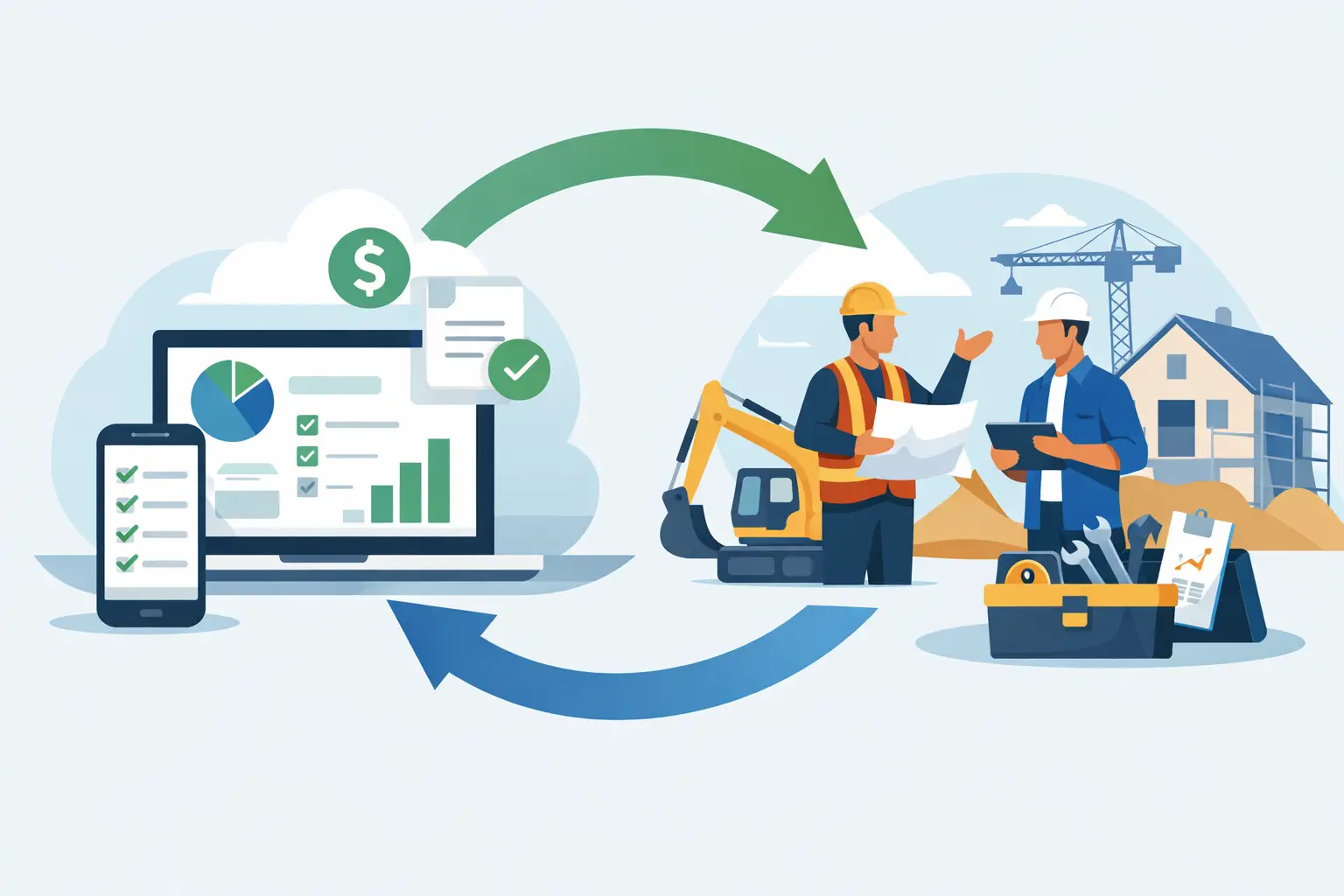
The best setup starts in your field service platform, where the work actually happens. The office books the job, the tech updates status in the field, the estimate gets approved, the invoice is generated, and payment is collected. Then the accounting records move into QuickBooks based on clear rules.
That matters because operational software should own operational data. Accounting software should own the ledger. When those roles are clear, the sync becomes cleaner and easier to manage.
For example, a service call might begin with a customer request, move to a scheduled appointment, then to a completed job with labor, materials, and photos attached. Once the tech closes out the job and the invoice is finalized, that invoice should sync into QuickBooks with the right customer, line items, tax treatment, and payment status. If a deposit was collected earlier, that should be reflected too.
That flow keeps the field team focused on completion and the office team focused on exceptions, not repetitive data entry. It also gives owners better visibility into what was sold, what was completed, and what was actually paid.
How to evaluate a sync before you trust it
Not all integrations are equal, and contractors usually find that out after go-live. Before you commit, look past the generic promise that it connects with QuickBooks.
Ask what exactly syncs, and in which direction. Some setups only push invoices one way. Others handle customers and payments but not credits, deposits, or product items. If you rely on progress billing, memberships, recurring service, or multi-tech time tracking, you need to confirm those details up front.
Also ask what happens when data conflicts. If a customer is updated in both systems, which version wins? If an invoice is edited after syncing, does the change update automatically or create a mismatch? If a payment fails, is that visible to the office right away?
The strongest platforms are upfront about these rules. They do not hide the edge cases. That matters because contractors rarely run a perfect straight-line workflow. Jobs get rescheduled. Estimates change on site. Payments are split. Credits are issued. A sync that only works in ideal conditions is not built for real service operations.
Why job costing is where the real value shows up
Most contractors do not buy software because they want better syncing. They buy it because they want tighter margins and less office drag. That is why job costing is the real checkpoint.
If labor hours, materials, equipment, and subcontractor costs do not line up with the revenue tied to the job, your reporting gets soft. You might think a service line is profitable when it is actually bleeding margin through overtime, callbacks, or underpriced work.
A solid QuickBooks sync for contractors helps close that gap, but only if the operational system captures the right inputs first. Garbage in still means garbage out. If your techs are not tracking time correctly or materials are not tied to the job, QuickBooks cannot fix that later.
This is where an all-in-one field service platform has a real advantage. When scheduling, estimates, invoicing, payments, inventory, and time tracking live in one place, the data going into accounting is cleaner from the start. That reduces adjustment work and gives you faster, more believable numbers. ServiceMerge is built around that kind of workflow, which is why accounting sync tends to work better when it is fed by complete operational data instead of scattered apps.
Common trade-offs contractors should expect
There is no perfect sync for every business. It depends on your trade, volume, billing model, and how disciplined your team is with process.
If you run a high-volume residential service business, speed matters most. You want invoices and payments posted fast so cash flow stays current. In that case, you may accept a simpler sync structure if it gets money into the books quickly.
If you run larger project-based work, detail matters more. You may need stronger controls around estimates, change orders, phase billing, and job cost categories. That often means a more careful setup and more mapping work up front.
There is also a trade-off between flexibility and standardization. Giving office staff too many options on item names, invoice edits, or payment handling can create accounting chaos. Standard workflows feel stricter, but they usually produce better books.
Signs your current sync is costing you money
You do not need a formal audit to spot a weak setup. The symptoms show up in daily operations.
If your office staff spends hours each week fixing customer records, matching payments manually, or rebuilding invoices in QuickBooks, the sync is leaking labor. If your bookkeeper does not trust the numbers until the end of the month, your reporting is too delayed to help operations. If owners cannot see which jobs are profitable until long after they are closed, the system is slowing down decision-making.
The other red flag is blame shifting between teams. The office blames the field for missing details. The field blames the office for billing delays. Accounting blames both. Good systems reduce friction because each step is clearly owned and the data moves without rework.
How to set it up right the first time
Start by defining your source of truth for each type of data. Customer communication, scheduling, job details, technician activity, invoices, and payment collection should usually live in the field service platform. Financial records should finalize in QuickBooks.
Next, standardize service items, tax settings, customer naming rules, and invoice timing before turning on the sync. This is boring work, but it prevents most of the downstream mess.
Then test real scenarios, not demo scenarios. Run a completed service call, a partial payment, a refund, a reschedule, and a revised estimate. See what happens in both systems. If the sync breaks when the workflow gets slightly messy, it will break a lot in production.
Finally, train the team around process, not just software clicks. A sync is only as good as the behavior around it. Techs need to close jobs properly. Dispatch needs clean customer data. Office staff needs rules for edits and exceptions. Without that, even a strong integration turns into cleanup work.
QuickBooks sync for contractors should feel boring once it is set up right. That is the goal. When your books update cleanly, payments land fast, and your team stops touching the same transaction three times, you get back office time, cleaner reporting, and a business that is easier to scale.
Ready to run a smarter field service business?
Dispatch jobs, send invoices, collect payments, and track your techs in the field — with AI-powered scheduling, route optimization, and tools that cut admin work so your team stays on jobs, not paperwork. Built for many trades like plumbing, HVAC, roofing, and electrical — view the full list of trades.